 bilibili Video Downloader
Direct MP4 & WebM saves
Progressive files go straight to your downloads folder with no re-encoding and no quality loss.
bilibili Video Downloader is a Chrome extension that spots the video behind the player on BiliBili.tv, lists every quality the site serves, records live streams, and writes a clean file to your disk. Nothing passes through our servers, because we don't have any.
Free · No account · No telemetry

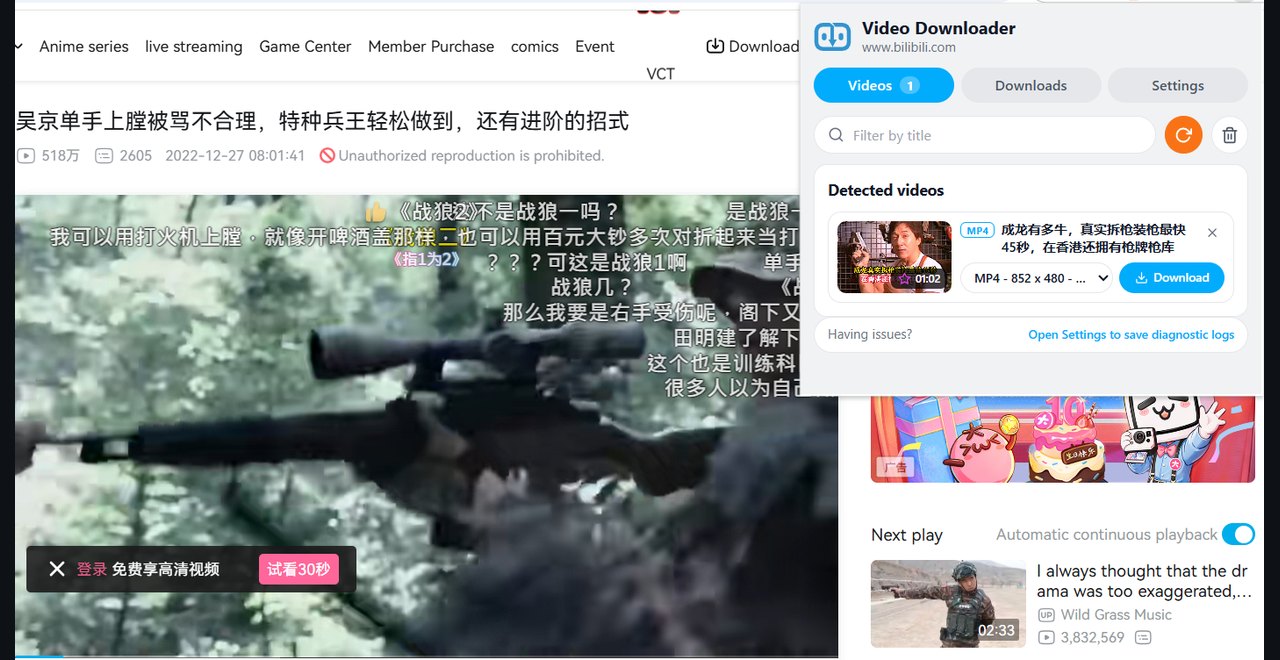
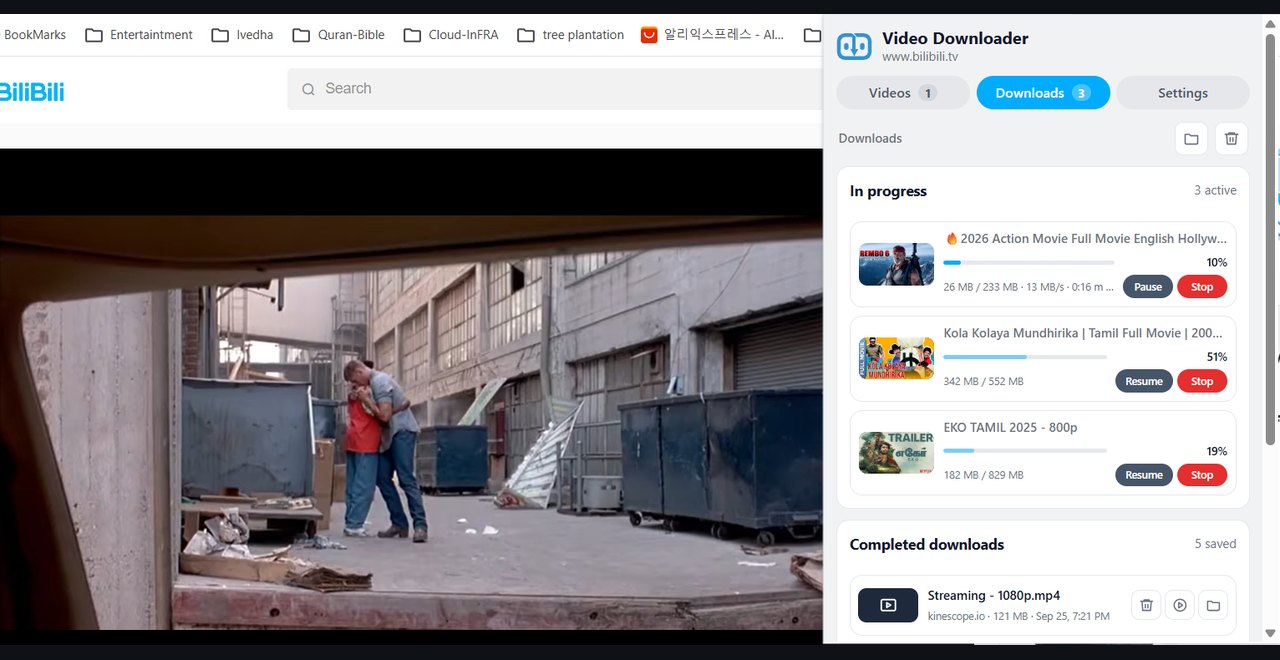


Install bilibili Video Downloader once, open any BiliBili video, and save it in a couple of clicks.

Start playing any video on BiliBili.tv — the extension detects it in the background while you watch.
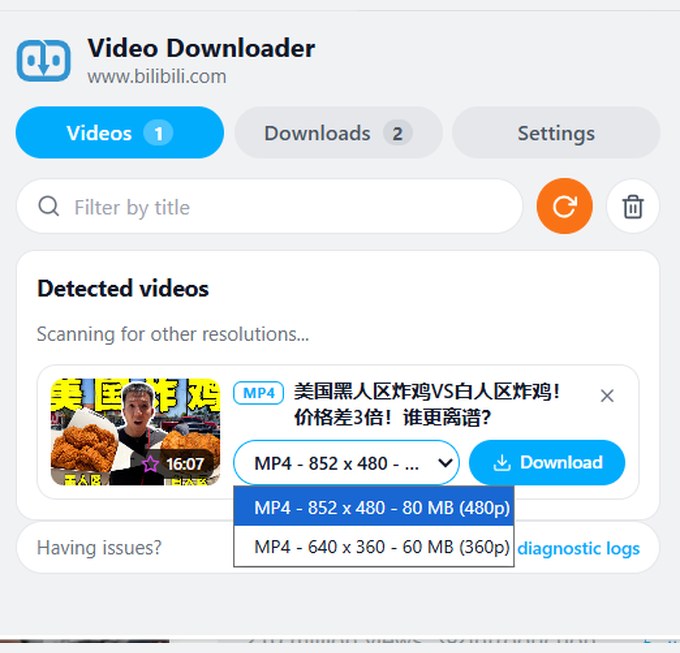
Open the popup, pick the quality you want, and hit Download.
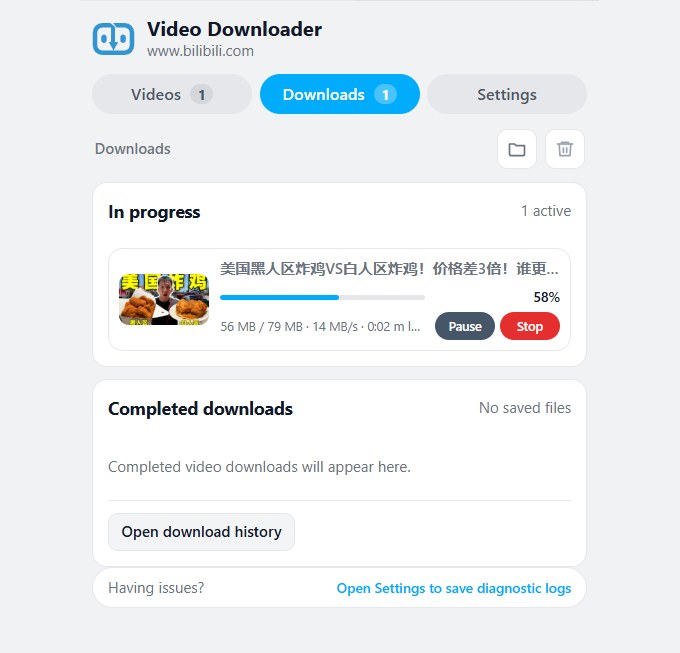
Switch to the Downloads tab to follow live progress — size, speed, and percentage at a glance.
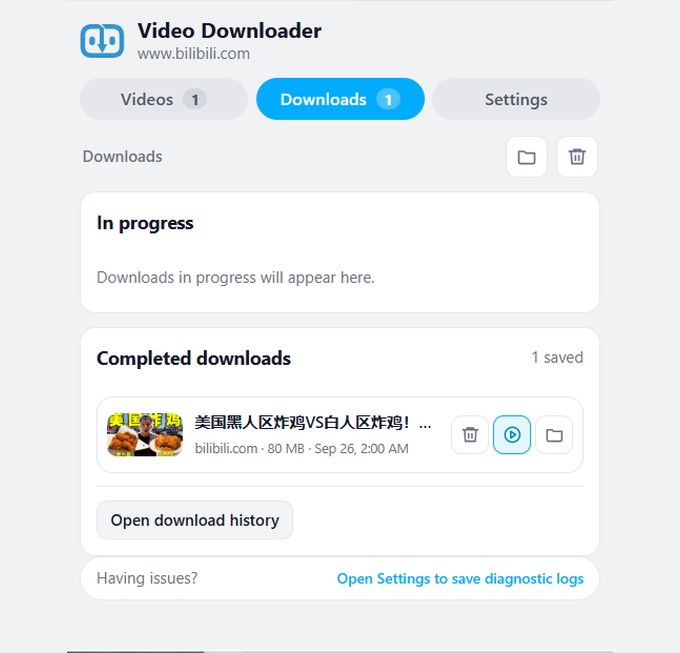
When the capture finishes, click play to watch it instantly or browse to its location on your disk.
One extension covers the whole journey — finding the video, picking the quality, processing it locally, and saving a clean file to your disk. Built for sites other than YouTube.
A download manager that behaves like one: fast, transparent about progress, and easy to search later.
Progressive files go straight to your downloads folder with no re-encoding and no quality loss.
Long downloads become playable as soon as the first chunks arrive — start watching without waiting for the whole file.
Start a capture on a BiliBili live broadcast and stop whenever you like — the result is a normal, seekable video file.
Pause any download and resume it later from where it stopped; stopping keeps the partial file, so nothing already downloaded is wasted.
Up to ten downloads run side by side — you set the limit (1–10) in Settings.
Live size, speed, and percentage for every job — not a spinner and a shrug.
Pause and resume any job; the queue keeps moving with the next file.
Optional desktop notifications tell you when a capture finishes — handy for long downloads.
Recent downloads are kept in a searchable local list with the exact page and stream URL attached — the limit is yours (default 100, up to 1000).
Set an age limit and old history entries quietly expire on their own.
Jump straight to your download folder from Settings, or open any finished file from its history entry.
The hard cases are where the extension does its best work.
On BiliBili.tv, the audio track is downloaded alongside the video and merged into one file — you never handle separate tracks.
Each resolution is listed with its codec, so you know exactly what you're saving before you commit.
Merging happens entirely inside the extension — no FFmpeg, no codecs, nothing to install.
Calm, quick, and informative — the UI stays out of the way until you need detail.
Every detected video shows its poster where the page provides one, so you know you have the right one before saving.
Resolution, codec, duration, and size are listed for each quality before you commit.
Find any detected video or past download by typing part of its title.
Videos, Downloads, and Settings live together in one popup — open it any time to see what's on the page.
System, Dark, Light, and Transparent — follows your system by default, override any time in Settings.
Set the width from 360 to 720 px so long titles and file names fit.
Your browsing stays on your machine. There is no server in the middle and no analytics on the wire.
Streams are fetched, muxed, and converted inside your browser. Nothing is uploaded to us — we have no servers to upload to.
No analytics SDK, no crash reporting, no identifier. The network panel stays quiet about bilibili Video Downloader.
The whole extension is about 2 MB and starts instantly.
Pure JavaScript handles all merging — you never install codecs or command-line tools.
A log viewer with save, copy, and clear makes support issues reproducible without sending anything anywhere.
Paused or interrupted downloads resume from where they stopped, and expired links refresh automatically.
Windows, macOS, Linux, and ChromeOS — there are no native components to install.
Plain JavaScript, requested permissions kept to the minimum, and full compliance with Chrome Web Store review rules.
Short answers about installing, using, and trusting bilibili Video Downloader.
bilibili Video Downloader sits quietly until a page has a video you want — then it's one click to a clean, local file.